Interactive TUI (-i)
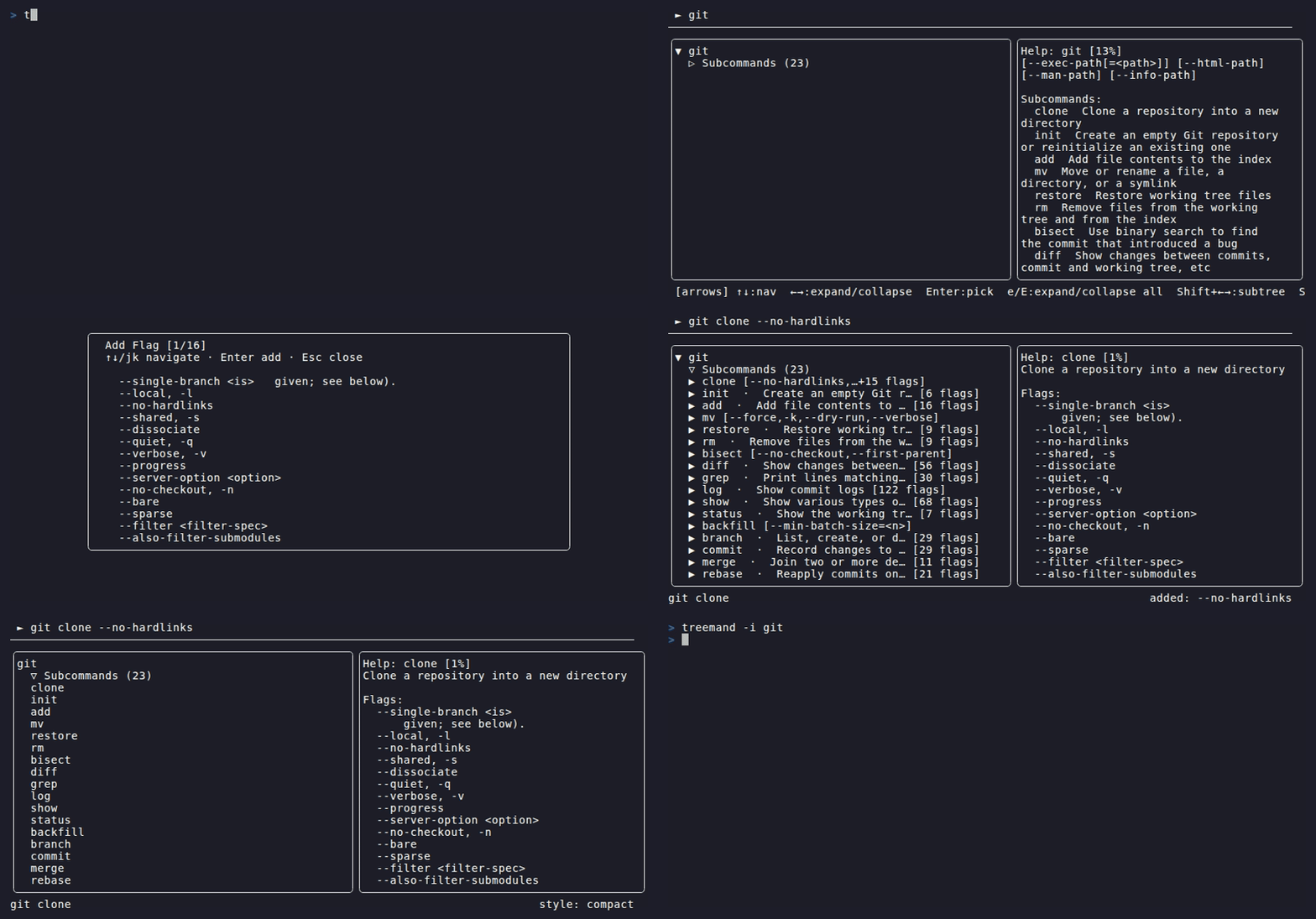
The interactive mode launches a full-screen terminal explorer with three panes:
a live preview bar, a navigable tree pane, and a help pane that shows
--help output for the currently selected node.
Launch
treemand -i git
treemand -i kubectl
treemand -i docker
Workflow
- Navigate —
↓/↑ (or j/k) to browse; cursor never auto-expands - Expand —
→ opens a node, press again to enter its children - Pick a command —
Enter sets it in the preview bar - Add flags —
f to open the flag picker; Enter on a flag row adds it directly - Fill positionals —
Enter on a positional row opens an input prompt - Copy or run —
Ctrl+E opens a confirmation modal: copy to clipboard or execute
Key bindings
Navigation
| Keys (arrows) | Keys (vim) | Keys (WASD) | Action |
|---|
↑ / ↓ | k / j | w / s | Move up / down |
→ | l | d | Expand node; enter children on 2nd press |
← | h | a | Collapse node; go to parent on 2nd press |
Shift+→ | Shift+L | Shift+D | Expand entire subtree |
Shift+← | Shift+H | Shift+A | Collapse entire subtree |
gg | | | Jump to top |
G | | | Jump to bottom |
Toggle navigation scheme with Ctrl+S (arrows → vim → WASD).
Tree
| Key | Action |
|---|
/ | Fuzzy filter tree nodes |
n / N | Next / previous search match |
e / E | Expand all / collapse all |
R | Re-discover / refresh children of selected node |
S | Toggle section headers |
T | Cycle display style |
Building commands
| Key | Action |
|---|
Enter | Set command / add flag / fill positional |
f | Open flag picker modal (with search) |
Backspace | Remove last token from preview |
Ctrl+K | Clear the entire preview bar |
Ctrl+E | Copy or execute the assembled command |
View
| Key | Action |
|---|
H / Ctrl+P | Toggle help pane |
Tab / Shift+Tab | Cycle pane focus |
d / D | Open docs URL in browser |
? | Show all key bindings (scrollable overlay) |
q / Esc | Quit |
Mouse support
Click any node to select it, click ▶/▼ to expand/collapse, and scroll to
navigate. Click the preview bar to focus it for direct text editing.
Navigation schemes
treemand supports three keyboard navigation schemes. Press Ctrl+S to cycle:
| Scheme | Move | Expand | Collapse |
|---|
| Arrows (default) | ↑/↓ | → | ← |
| Vim | j/k | l | h |
| WASD | w/s | d | a |